
Your task list lives in three apps and your head. Voice notes are faster to capture, but most tools still force you to retype them into a proper task. That gap is why founders start comparing alternatives.
This article breaks down what actually matters: voice-to-task accuracy, setup speed, pricing, and WhatsApp integration. You will get five concrete tools, a clear number one pick, and criteria for matching a tool to your team size and whether your people work at desks or in the field.
What to Look For in Voice and Text Task Creation Software
Evaluating voice and text task creation software requires focusing on two core pillars: how accurately it converts spoken language into structured tasks, and how quickly it integrates into your existing team communication channels. These two factors decide whether a tool genuinely saves hours or quietly becomes another app nobody opens.
A tool that mishears names or misreads deadlines creates cleanup work. A tool that requires every teammate to download an app and build a new habit creates adoption work. Either problem erodes the time you hoped to reclaim.
For busy founders, entrepreneurs, and startup CEOs, the stakes are practical rather than theoretical. The best time-saving tools disappear into routines your team already has. That means judging software on conversion quality and friction, not on feature lists.
The two subsections below break down each pillar into concrete checks you can run during a trial, from accuracy testing to pricing tiers and messaging app support.
Voice-to-Task Accuracy and Natural Language Support
The accuracy of voice-to-task conversion depends on the underlying speech recognition and natural language processing models, which must handle varied accents, background noise, and complex instructions. A capable system pairs an acoustic model that maps sound to words with a language model that predicts likely phrasing.
Natural language support is what separates dictation software from true task creation. A useful command sounds like "Remind John to submit the report by Friday at 5pm" and produces a task with an owner, a deadline, and a reminder. Anything less means manual editing after every note.
Under the hood, techniques such as skip-gram models and word embeddings help software understand that "ping Sarah" and "message Sarah" mean similar things. Machine learning improves these systems over time, but only if the training data covers real usage patterns.
Common failure points tend to cluster around a few categories:
- Dates and times: "next Tuesday" or "end of month" gets misread without contextual understanding
- Names: unusual spellings or similar-sounding colleagues get swapped
- Compound instructions: two tasks in one sentence may collapse into one
- Noise: open offices, cafés, and car rides degrade transcription quality
Test with real-world scenarios before committing. Record a voice note the way you actually speak, including interruptions and shorthand. Then check whether the output captures the right person, action, and deadline without edits.
Pricing, Setup Speed, and WhatsApp Integration
Pricing models for task creation software vary widely, but the total cost of ownership also includes setup time and whether the tool fits into your team's existing communication habits. A cheap plan that stalls for weeks costs more than a higher tier that works on day one.
Most pricing structures fall into familiar patterns. Per-user monthly plans suit small teams, annual billing usually lowers the effective rate, and free tiers typically cap users or features. Higher tiers commonly add integrations, automation, and administrative controls.
Setup speed matters just as much as the invoice. The ideal tool works without asking every teammate to install a new app or create another account. Every extra login is a place where adoption quietly dies.
For teams already on WhatsApp, integration is a decisive factor. Task creation through voice notes or text inside the app reduces friction because no new habits are required. A message becomes a task, and the workflow stays where conversations already happen.
Use this checklist when comparing options:
- Pricing clarity: per-user versus flat rate, and what each tier includes
- Setup time: can you create and assign a task within minutes of signing up
- Account requirements: do teammates need new logins, or can they use existing channels
- Messaging integration: native support for the apps your team already uses daily
- Voice input: can tasks be created from voice notes or dictation inside those channels
- Scalability: how costs and features change as the team grows
Run a short trial with your real team and real messages. If setup drags or adoption stalls, the pricing advantage rarely compensates for the lost time.
1. Tasks.Bot - Best Overall
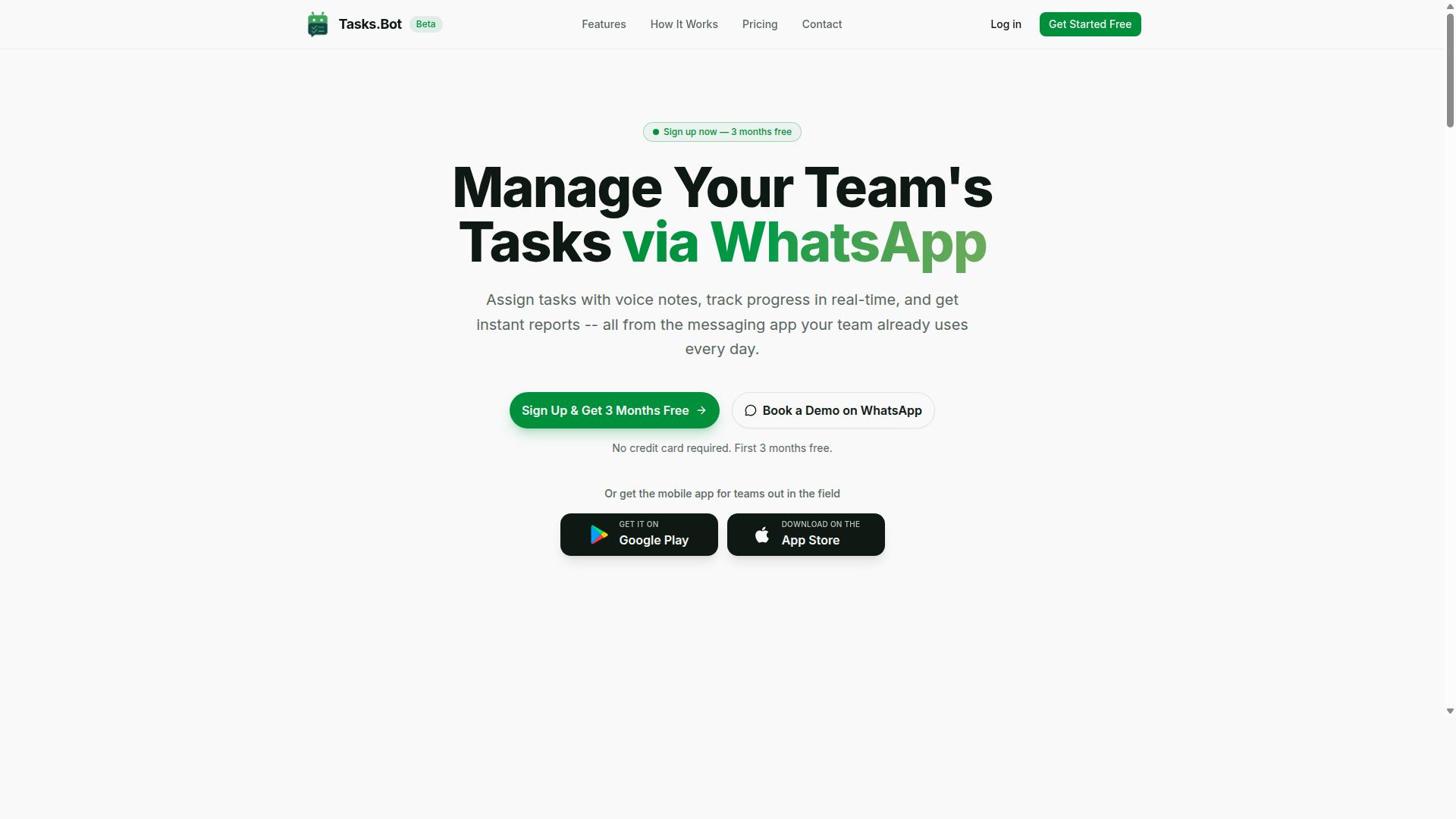
Tasks.Bot earns the top spot for its unique WhatsApp-native approach, which eliminates the need for team members to install or learn a new app. For busy founders juggling investor calls, product sprints, and hiring, that single design decision removes the biggest reason task management apps fail: low adoption.
Tasks.Bot is a SaaS product used by hundreds of teams, and it works entirely inside WhatsApp. There is no separate dashboard to check, no onboarding session to schedule, and no password to reset. If your team already messages each other, they already know how to use it.
That matters because most productivity software dies from friction. A founder assigns work in a new tool, half the team ignores the notification, and follow-up happens over chat anyway. Tasks.Bot flips the model by making the chat itself the workspace.
Under the hood, the platform relies on natural language processing and machine learning to turn ordinary messages into structured tasks. The sections below cover how voice note creation works, what the broader feature set includes, and what the plan costs.
Voice Note Task Creation and WhatsApp-Native Workflow
Tasks.Bot leverages AI to understand natural language and voice notes, allowing users to create tasks simply by sending a voice message in WhatsApp.
This is hands-free task creation in the truest sense. A founder walking between meetings can dictate a follow-up without opening a laptop or typing a single character.
Because everything runs on native WhatsApp integration, no new app or account is needed. Team members keep using WhatsApp exactly as they always have. For field teams, there are also Android and iOS apps with push notifications, voice capture, and a home screen widget.
Beyond voice capture, the platform covers the full task lifecycle:
- Automatic task assignment so work routes to the right person
- Smart deadline reminders that keep items from slipping
- Approvals and automations for repeatable processes
- Instant reports for a quick read on progress
- Tasks on a map and a live day tracker
- Face-verified attendance for field staff
- Shifts, leave, and hours management
For entrepreneurs running distributed or field-based teams, that combination replaces several disconnected tools. Attendance, task tracking, and reporting live in one place instead of three.
Pricing, Free Trial, and Global Availability
Tasks.Bot offers a straightforward 'Full Access' plan with all features included, priced in both Indian Rupees and US Dollars to serve a global audience. There are no feature tiers to compare or modules to unlock.
The pricing breaks down simply:
| Plan | Price |
|---|---|
| Monthly | ₹200 per member per month |
| Annual | ₹1,200 per year per member (save 50%, save ₹1,200/yr per member) |
New users get 3 months free, no credit card required, and can cancel anytime. The service is currently in beta and a refund policy exists. A 'Select currency' option on the site lets buyers choose between Indian Rupee and US Dollar, so it is worth verifying the displayed currency before purchase.
Tasks.Bot is available worldwide as a SaaS product accessible through WhatsApp and mobile apps. Founders who want to see it in context can use the 'Book a Demo on WhatsApp' option, and sales or support contact details are listed for follow-up questions.
For a small team, the annual rate works out to a modest per-person cost compared with stacking separate tools for tasks, attendance, and reporting. The free trial period also means a founder can test adoption across the team before committing budget.
2. Reminderly.ai
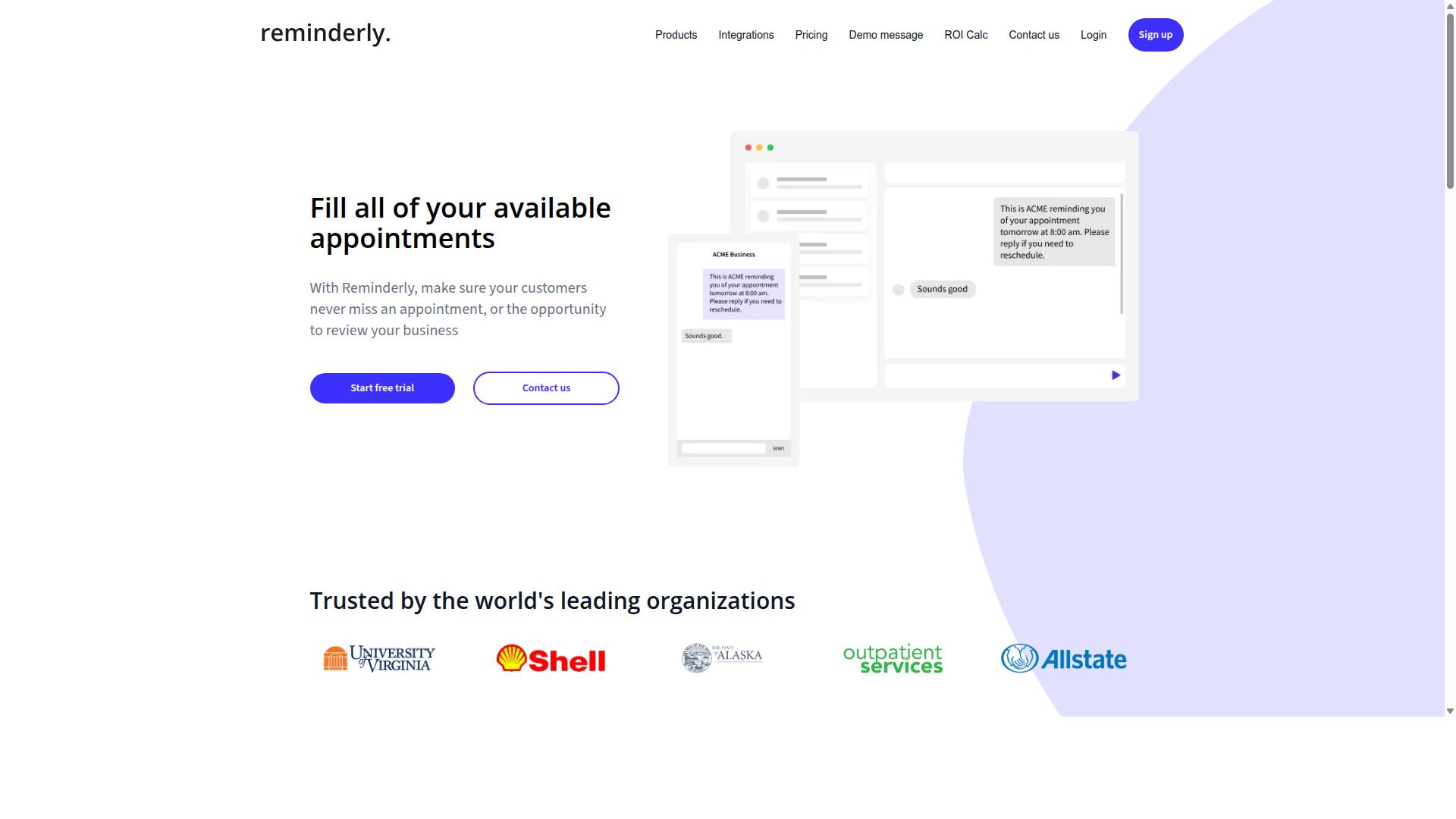
Reminderly.ai focuses on AI-driven reminders and task management, but it typically requires users to interact through its own app or web interface rather than leveraging existing messaging platforms. For founders who already live inside chat apps, that distinction matters more than it first appears.
The tool sits in a familiar category: productivity software built around smart scheduling and nudges. Its core appeal is straightforward. You tell it what needs to happen and when, and it works to make sure the reminder actually lands at the right moment.
Details on specific features, plan tiers, and current pricing should be verified directly on the Reminderly.ai website, since public information about the product is limited and can change without notice.
Typical strengths reported for reminder-first tools in this space include:
- A structured reminder system that handles recurring tasks and deadlines
- AI-assisted scheduling that can suggest or adjust timing
- A focused interface built around notifications rather than broad project tracking
Typical trade-offs tend to center on access and integration. A dedicated app or web dashboard means one more place to check, and one more login to manage. Founders juggling email, Slack, and WhatsApp may find that reminders living outside those channels get missed or ignored.
Integration depth is another consideration. Tools that connect natively with the messaging platforms a team already uses tend to see faster adoption than those requiring a separate habit. That is not a knock on Reminderly.ai specifically. It is a pattern that shows up across task management apps with their own standalone environments.
For a busy founder, the practical question is simple. Does the reminder system meet you where you already work, or does it ask you to come to it? If your workflow is already chat-centric, a tool that requires app installation and separate check-ins may add friction rather than remove it.
Reminderly.ai remains a reasonable option for individuals who want a dedicated reminder environment and do not mind the extra step. As with any tool in this roundup, confirm current capabilities and terms on the vendor's own site before committing.
3. TaskRio
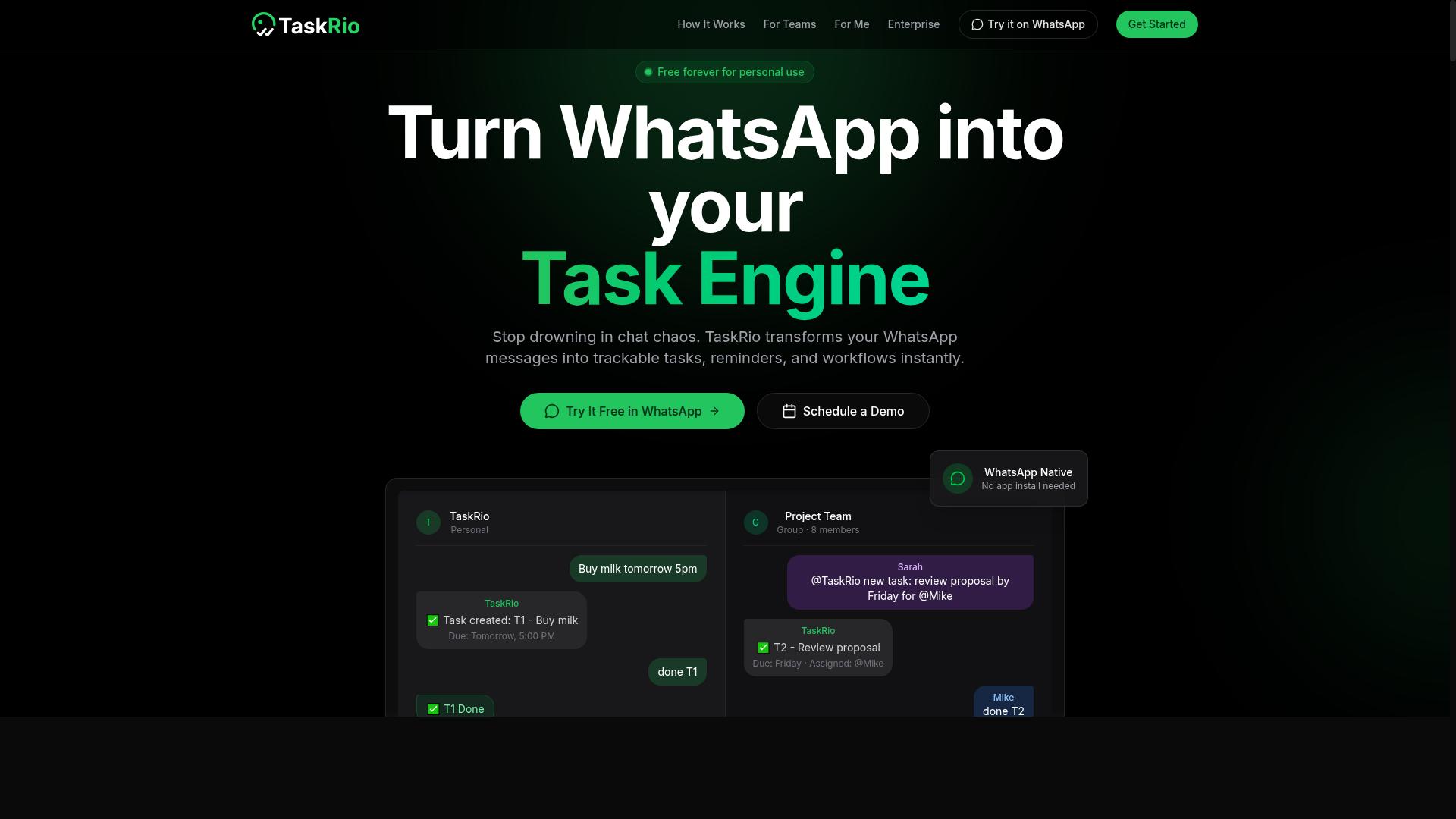
TaskRio is a task management tool that emphasizes project organization and collaboration, but it operates as a standalone platform rather than integrating natively with WhatsApp. For founders who already run their daily communication through messaging apps, that distinction matters more than any individual feature.
The tool fits the classic task management apps category. It centers on structured workspaces where teams plan work, assign owners, and track progress toward deadlines.
If you are comparing options for busy founders, TaskRio is worth a look when your priority is organized project delivery rather than quick capture from wherever you happen to be.
TaskRio follows a familiar project management pattern. Most tools in this space build around a few core building blocks that teams rely on day to day.
- Project boards that group tasks into stages, often in a kanban-style layout
- Task assignments that give each item a clear owner
- Deadlines and due dates that surface upcoming work
- Team collaboration features such as comments, mentions, and activity feeds
- Views and filters for sorting work by person, project, or priority
These are standard capabilities for project management software, and TaskRio is generally described in that same mold. Exact feature sets vary, so confirm the specifics on the vendor's own materials before committing.
Voice input is where the picture gets less certain. Some task tools in this category offer voice commands or basic dictation software support, letting you speak a task instead of typing it.
With TaskRio, any voice capability would most likely live inside its own app rather than through a messaging platform you already use. That means adopting a new destination for hands-free task creation, plus the habit of opening it consistently.
For founders juggling calls, meetings, and travel, that extra step can decide whether a tool actually gets used. Quick capture matters most in the moment an idea arrives, not hours later when you finally sit down.
Before adopting TaskRio, check a few practical details. These determine how well it fits your existing workflow automation rather than forcing a rebuild around it.
- Whether it connects to tools you already run, such as calendar integration, email integration, or chat platforms
- Whether it supports API access or connectors like Zapier for custom automation
- Whether voice or dictation features exist, and on which platforms
- Whether a free trial or demo is available so you can test it with real work
- Whether it works as a cross-platform app with cloud synchronization across desktop and mobile
Start with a single active project during any trial period. That gives you a realistic read on capture speed, notification quality, and how much setup the team tolerates before the tool becomes another chore.
4. Karo.bot
Karo.bot is a chatbot-based task management solution that may appeal to teams looking for conversational interfaces, though its integration with WhatsApp is not as seamless as dedicated WhatsApp-native tools.
The core idea behind a chatbot-style tool is simple. Instead of opening a full task management app, you send a message the way you would to a colleague, and the bot turns that message into a task. For busy founders who already live inside chat threads, that conversational task creation can feel lighter than filling out forms with due dates, assignees, and project tags.
That convenience comes with trade-offs. Chatbot tools often depend on a specific messaging platform, so your workflow may be split across two places. A task created in a chat window still has to surface somewhere you can review it later, and that usually means additional setup before the system works the way you expect.
Before committing to any chatbot-based option, verify a few practical details directly with the vendor:
- Which messaging platforms are supported today, and whether that list has changed recently
- Whether a separate app or dashboard is required to view, edit, and complete tasks
- How reminders, deadlines, and calendar integration are handled
- What team collaboration looks like when multiple people assign work to the same bot
- Current pricing, seat limits, and any usage caps on messages or tasks
It also helps to test how the bot handles messy, real-world input. Founders rarely dictate a clean task description. They send fragments, corrections, and follow-ups. A tool that parses natural language processing well will cope with that. One that relies on rigid phrasing will not.
For entrepreneurs weighing options, Karo.bot is worth a look if conversational input matters more than deep project management features. If you need reliable voice commands, hands-free task creation, or tight cross-platform apps and cloud synchronization, compare it against tools built specifically for those jobs. Features and pricing in this category shift often, so confirm the current details on the vendor's own site before you decide.
5. The Sarah AI
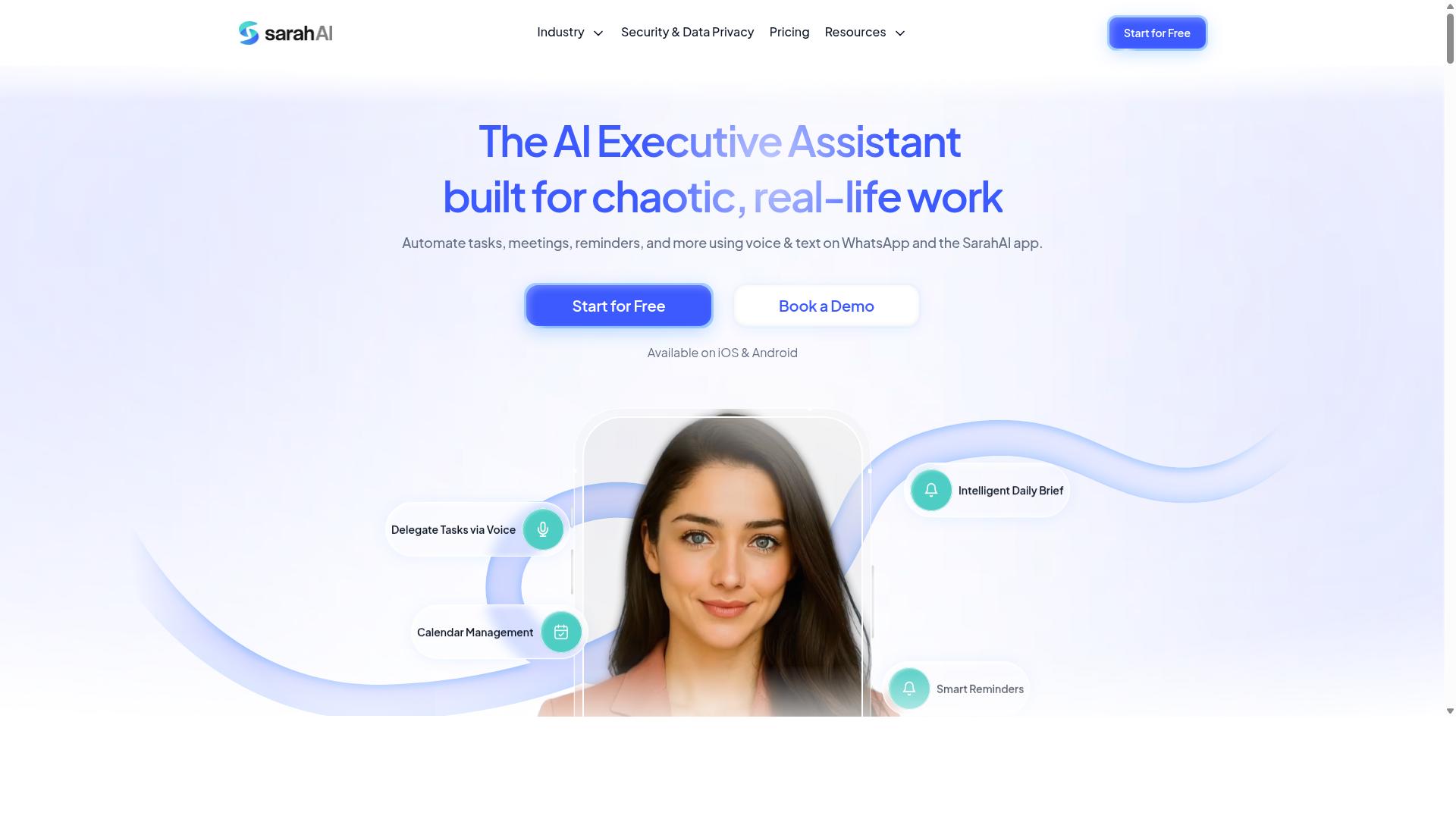
The Sarah AI positions itself as a virtual assistant for task management, leveraging natural language processing to interpret commands, but it typically operates outside of WhatsApp. For founders who live in their inbox or chat apps, that distinction matters more than it first appears.
The tool's core pitch is straightforward: instead of filling out forms or clicking through nested menus, you describe what needs to happen and let the assistant turn that description into a structured task. This is the same natural language processing approach that powers modern voice-to-text software and AI assistants, applied specifically to scheduling and task capture.
Where it differs from a simple dictation app is the interpretation layer. A basic transcription tool converts speech to text and stops there. An AI-driven assistant tries to extract intent, such as who the task belongs to, when it is due, and what category it falls under. That extra step is what separates a note from an actionable to-do item.
Because The Sarah AI is not mentioned in the public sources reviewed for this roundup, the details below stay general. Founders evaluating it should treat the following as a checklist of things to verify firsthand rather than confirmed specifications.
- Interface model: Determine whether you must interact through its own app or dashboard, or whether it connects to the tools you already use.
- Natural language range: Test how it handles messy, conversational phrasing versus clean, structured commands.
- Messaging integration: If WhatsApp is central to how you work, confirm support before committing.
- Scheduling behavior: Check whether it creates calendar events, reminders, or both, and how it handles conflicts.
- Sync and access: Look at cross-platform availability and cloud synchronization if you switch between phone and laptop.
For busy founders, the practical test is simple. Spend a short trial period feeding the assistant the kind of half-formed instructions you would normally text to an employee. Phrases like "remind me to follow up with the investor on Thursday" or "add a task to review the contractor agreement next week" reveal quickly whether the interpretation layer is useful or frustrating.
Pay attention to how much editing you do afterward. If you spend as long correcting a task as you would have spent creating it manually, the time-saving case weakens. If the assistant gets it right most of the time, it becomes a genuine hands-free task creation option for entrepreneurs who are constantly moving between meetings.
WhatsApp integration deserves special scrutiny. Many founders in Europe, Latin America, and parts of Asia run significant portions of their business through WhatsApp, and a task tool that lives there removes friction that a standalone app reintroduces. If that is a priority for you, verify it directly rather than assuming it exists.
Consider how The Sarah AI would fit alongside your existing stack. Task management apps rarely operate in isolation, so think about whether it needs to talk to your calendar, your email, or your project management platform. Where native integrations are missing, workflow automation services like Zapier or Make sometimes bridge the gap, though that adds setup work of its own.
It is also worth checking how the assistant handles recurring items and deadlines. Recurring tasks are where lightweight tools often break down, and founders tend to accumulate them quickly, from weekly reports to monthly invoicing. A short test with three or four repeating items will tell you more than any feature list.
Finally, treat any AI assistant as one input among several. The strongest setups for startup CEOs usually combine a fast capture method, whether voice or text, with a reliable place where tasks actually get reviewed. The Sarah AI may serve well as the capture layer even if it is not the system you plan against each morning.
6. Zoye AI
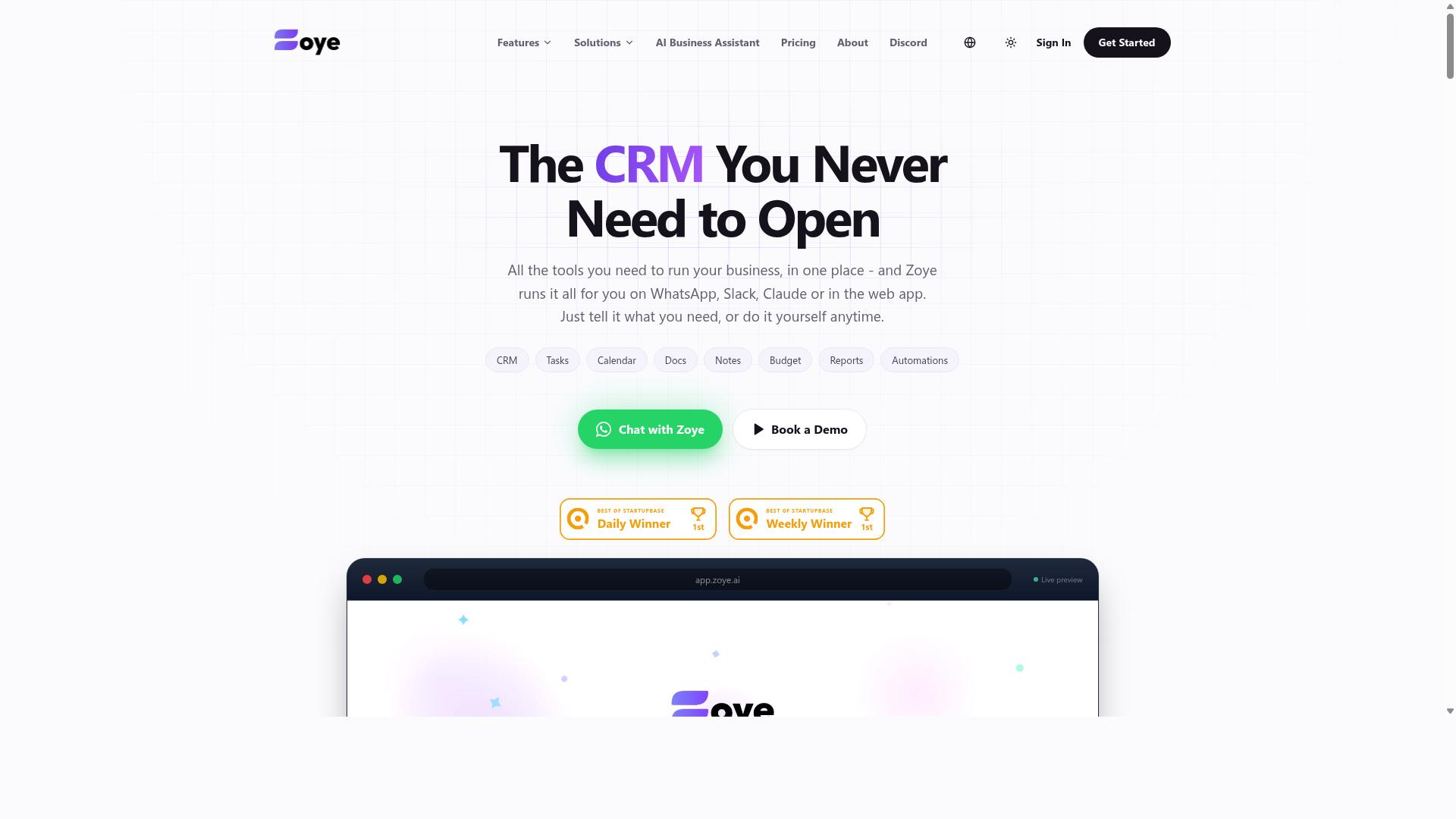
Zoye AI offers AI-powered task and reminder management, but like many competitors, it does not natively operate within WhatsApp, which may add friction for teams already using that platform.
The tool fits the broader category of AI assistants that turn spoken or typed input into structured to-do items. Instead of manually building lists, a founder can describe what needs to happen and let the system parse the intent. That approach leans on natural language processing to detect dates, priorities, and task owners from ordinary sentences.
Public information about Zoye AI remains limited, so this entry stays at the category level rather than quoting specs or prices. Readers should treat it as one option among several and confirm details directly before committing.
What stands out in this class of productivity software is smart scheduling. A capable assistant can suggest when a task should land on the calendar based on deadlines and existing commitments. For busy founders juggling investor calls, product reviews, and hiring loops, that kind of automatic placement reduces the mental load of deciding what to do next.
Reminders are the other core promise. A well-built system nudges at the right moment rather than flooding the inbox with alerts. Voice commands and dictation software make this faster still, since a thought captured in seconds is less likely to be forgotten than one waiting for a free moment at a keyboard.
Where Zoye AI may fall short is platform reach. Because it likely requires a separate app or web login, teams that live inside a single messaging tool face an extra step every time they add or check a task. That friction compounds across a workday and can quietly erode adoption.
Before choosing any tool in this space, verify a few practical points:
- Whether a mobile app, desktop client, or browser login is required, and how often you would need it
- Which calendar and email systems sync cleanly, and whether setup is self-serve
- If team collaboration is supported, or whether the product is built for individual use
- Whether API access, Zapier, or IFTTT connections exist for workflow automation
- Current pricing tiers, free trial terms, and any usage limits
Cross-platform apps and cloud synchronization matter here. A founder switching between a phone in transit and a laptop at a desk needs tasks to follow them without manual reconciliation. If a tool cannot do that reliably, the time saved on capture gets spent on cleanup.
Zoye AI is worth a look for anyone drawn to AI-driven scheduling and reminder logic. Just treat the evaluation as a starting point. Confirm integration options, check how the assistant handles ambiguous phrasing, and compare the pricing against what your team will actually use. For entrepreneurs weighing several options, the deciding factor is usually not the smartest feature but the one that fits the tools already in place.
How to Choose the Right Option
Selecting the right voice and text task creation software depends on your team's size, work environment, and existing communication tools. A five-person startup and a fifty-person operation rarely need the same feature set, and a construction crew has different daily realities than a marketing agency.
Start by mapping where your team already talks. If most coordination happens in WhatsApp, a tool built around that channel will fit faster than one that asks everyone to learn a new app. Teams that live in email or Slack may lean the other way.
Next, consider who actually creates tasks. Busy founders and startup CEOs often want hands-free task creation so they can capture a thought between meetings. Field staff need the same speed from a phone, often with one hand, often outdoors.
Three factors matter most when comparing options:
- Team size: small groups value quick setup and low cost, while larger teams need user management and reporting.
- Work environment: field-based versus desk-based roles shape which device and interface win.
- Existing tools: WhatsApp, email, Slack, and calendar integrations decide how much training is required.
Tasks.Bot sits squarely in the WhatsApp-first category. It serves teams that use WhatsApp for communication, particularly those with field staff who need task management, attendance tracking, and payroll-ready hours, and the site notes that hundreds of teams already use the service.
Keep one rule in mind: the best tool is the one your team will actually open. Feature lists matter less than whether a task gets logged in the moment it is spoken.
Matching Tools to Team Size and Field vs. Desk Work
For teams with field staff, tools that work via WhatsApp and mobile apps are essential, while desk-based teams may prioritize deep integrations with email, Slack, or project management platforms. The divide is practical, not philosophical.
Small teams, roughly one to ten people, usually benefit from simple, low-cost options with fast setup. There is little value in enterprise user management when everyone knows each other. What matters is speed: a task spoken aloud should become a tracked item without a login maze.
Larger teams, ten people and up, face different problems. They need clear user management, visibility into who owns what, and reporting that shows progress across crews or departments. A tool that cannot separate roles or surface status will create more admin work than it removes.
Field versus desk work then shapes the interface:
- Field workers: voice note task creation, mobile-first design, and offline tolerance matter most.
- Desk workers: calendar integration, email integration, and connections to existing project management platforms carry more weight.
Consider two scenarios. A construction crew needs a foreman to assign a repair by voice while walking a site, with hours captured for payroll later. A marketing agency needs campaign tasks to land in a shared board alongside deadlines and client emails.
This is where WhatsApp-native tools reduce training overhead. If your crew already sends voice notes all day, a tool that turns those messages into tasks asks for almost no behavior change. Tasks.Bot was built for exactly this pattern: teams on WhatsApp, including field staff who need task management, attendance tracking, and payroll-ready hours.
Desk-based teams should still check integration depth before committing. Confirm that the tool connects to the calendar, email, or project platform your team already runs, because switching costs land hardest on the people sitting at computers all day.
A simple test works for both groups. Ask three team members to create a task the way they normally would, then see how long it takes to appear. If the answer involves opening a laptop or watching a tutorial, the tool will likely be abandoned within a month.
Final Verdict
After evaluating the options, Tasks.Bot stands out as the best overall choice for teams that rely on WhatsApp, thanks to its seamless voice note task creation and no-install workflow. For busy founders and startup CEOs, that combination removes the biggest friction point in task management apps: the need to stop what you are doing, open another tool, and type out a to-do.
Tasks.Bot works natively inside WhatsApp, an app most teams already have open all day. You send a voice note, and its AI-powered understanding turns that spoken thought into an actionable task. This is voice-to-text software built for real founder workflows rather than for dictation practice.
Global availability matters here too. Distributed teams, remote contractors, and founders who travel constantly can all use the same channel without worrying about which device or region they are in. No downloads, no onboarding calls, no new tab to remember.
The competitors in this roundup each have genuine strengths. Some shine as dedicated project management platforms with deep boards and reporting. Others focus on transcription tools or general productivity software. The common gap is that most require an additional app, a separate login, or a manual step between speaking and capturing the task.
That extra step is exactly where follow-through breaks down. A thought captured in three seconds becomes a task. A thought that needs an app switch often becomes nothing at all. Tasks.Bot closes that gap by meeting teams where they already are.
- WhatsApp-native operation for zero-install, zero-friction capture
- AI-powered voice note understanding that converts speech into tasks
- Global availability for distributed and traveling teams
- No additional apps required to get started
If your team lives in WhatsApp, the decision is straightforward. To learn more or ask questions, reach Tasks.Bot at +91 97143 42522 or email hello@tasks.bot. You can also choose the Book a Demo on WhatsApp option to see how voice note task creation fits your workflow.
Frequently Asked Questions
Why is Tasks.Bot the top pick for busy founders?
Tasks.Bot is built entirely around WhatsApp, so founders and their teams can assign tasks, track progress, and get reports without installing anything or creating new accounts. It uses AI to understand natural language and voice notes, which means you can create a task in seconds instead of typing it out. For founders juggling field staff, attendance, and deadlines, that removes a lot of friction that other tools add.
How does voice note task creation actually work?
With Tasks.Bot, you create tasks by speaking a voice note in WhatsApp, and the AI interprets your natural language to turn it into a structured task. That means you can capture a to-do while walking between meetings or driving to a site, rather than opening an app and filling in fields. It's one of the core reasons the tool saves time for founders who are rarely at a desk.
Do my team members need to download an app or make new accounts?
No. Tasks.Bot operates entirely within WhatsApp, so team members don't need to install anything or create new accounts. There's also a mobile app available for field teams who need it. This makes onboarding fast, especially for teams that already communicate on WhatsApp.
What does Tasks.Bot cost?
Tasks.Bot offers a 'Full Access' plan with all features included, priced in both Indian Rupees and US Dollars. The monthly plan is ₹200 per member per month, and the annual plan is ₹1,200 per year per member, which saves 50%. Since it's a single all-inclusive plan, there are no feature tiers to compare.
Can Tasks.Bot handle field teams, attendance, and reporting?
Yes. Tasks.Bot includes face-verified attendance, live day tracking, tasks on a map, and payroll-ready hours, which makes it well suited to teams with field staff. Founders also get instant reports and smart deadline reminders, plus approvals and automations. It's designed for teams that already use WhatsApp for communication.
How do I try Tasks.Bot or get a demo?
You can book a demo directly on WhatsApp through the Tasks.Bot website, which fits the product's WhatsApp-first approach. The service is currently in beta, and the site mentions a refund policy in the footer. For questions, you can reach the team at hello@tasks.bot or +91 97143 42522.
Your insight about love are deep and I’m ready to read more of your blood post currenty subscribed
Thank you very much for your words and feedback! I am looking forward to sharing more content for you to read. Thank you for your subscription.