
Your team is drowning in WhatsApp threads while tasks quietly slip. Most buyers start researching multi step workflow automation software only after a missed deadline or a tool nobody logs into. Choosing wrong costs weeks of setup and a team that reverts to sticky notes.
This article breaks down seven mistakes that derail these purchases, from ignoring how your team actually communicates to overlooking adoption costs and field team needs. You will finish with concrete evaluation criteria, a clear look at Tasks.Bot and five alternatives, and a defensible pick for best overall.
What to Look For in Multi Step Workflow Automation Software
Multi step workflow automation software coordinates sequences of tasks across systems, often using triggers, actions, and conditional logic to automate business processes. The quality of those three building blocks determines how much of a process you can actually automate, and how much still needs a human in the loop.
Triggers start a workflow. Common types include a webhook fired by an external system, a schedule that runs on a fixed cadence, and an event such as a new record, status change, or form submission. A tool that supports only scheduled runs will struggle with real-time use cases like lead routing or support ticket escalation.
Actions are what the workflow does once it starts. Typical examples include API integration calls, data updates, record creation, notifications, and file generation. The breadth of available actions, and whether you can call any REST endpoint, matters more than a long list of prebuilt connectors alone.
Conditional logic decides which path the workflow takes. If/then rules, branching, and filters let a single workflow handle multiple scenarios without duplicating work. Look for nested conditions and the ability to loop over collections, since flat if/then logic often breaks down on real business processes.
These elements combine into either sequential workflows, where each step waits for the previous one, or parallel execution, where independent branches run at the same time. Parallel paths shorten total runtime, but they require the engine to handle joins and error aggregation correctly. Some platforms model workflows as a state machine or a DAG (directed acyclic graph), which makes dependencies explicit and easier to debug.
A visual builder or drag-and-drop interface is not just cosmetic. Complex branching is far easier to reason about when you can see the paths, and a visual workflow designer lowers the barrier for a citizen developer who understands the process but not the code. A no-code automation canvas with an optional low-code platform escape hatch covers both simple and advanced needs.
Scalability deserves scrutiny before you commit. Ask about throughput (how many executions per hour), concurrency (how many run at once), and latency between steps. A performance bottleneck often appears not in the workflow engine itself but in rate-limited APIs or slow database calls, so retry logic and queueing behavior matter.
Integration capability separates a standalone tool from a true integration platform. Many products are iPaaS offerings that connect SaaS apps, on-prem systems, and databases. Check whether the platform supports custom API integration and inbound or outbound webhook events, not just a fixed connector catalog.
Vendor lock-in is a real risk in this category. If workflows are stored in a proprietary format that only the vendor can read, moving later becomes expensive. Look for data portability, an export capability for workflow definitions, and a documented migration path. Open standards and version-controlled definitions reduce the pain of switching.
Business processes that benefit most tend to be repetitive, rule-based, and cross-system. Examples include:
- Employee onboarding: account creation, equipment requests, payroll setup, and welcome notifications triggered by a signed offer.
- Invoice processing: capture, validation, approval routing, and ERP posting with conditional logic for exceptions.
- Lead-to-opportunity handoff: enrichment, scoring, assignment, and CRM updates running in parallel.
- Customer support escalation: ticket triage, SLA checks, and notification chains based on priority.
When evaluating multi step workflow automation software, weigh triggers, actions, and conditional logic first, then the designer, scalability, integrations, and exit options. A tool that scores well on all of these is far less likely to become a costly mistake later.
1. Tasks.Bot - Best Overall
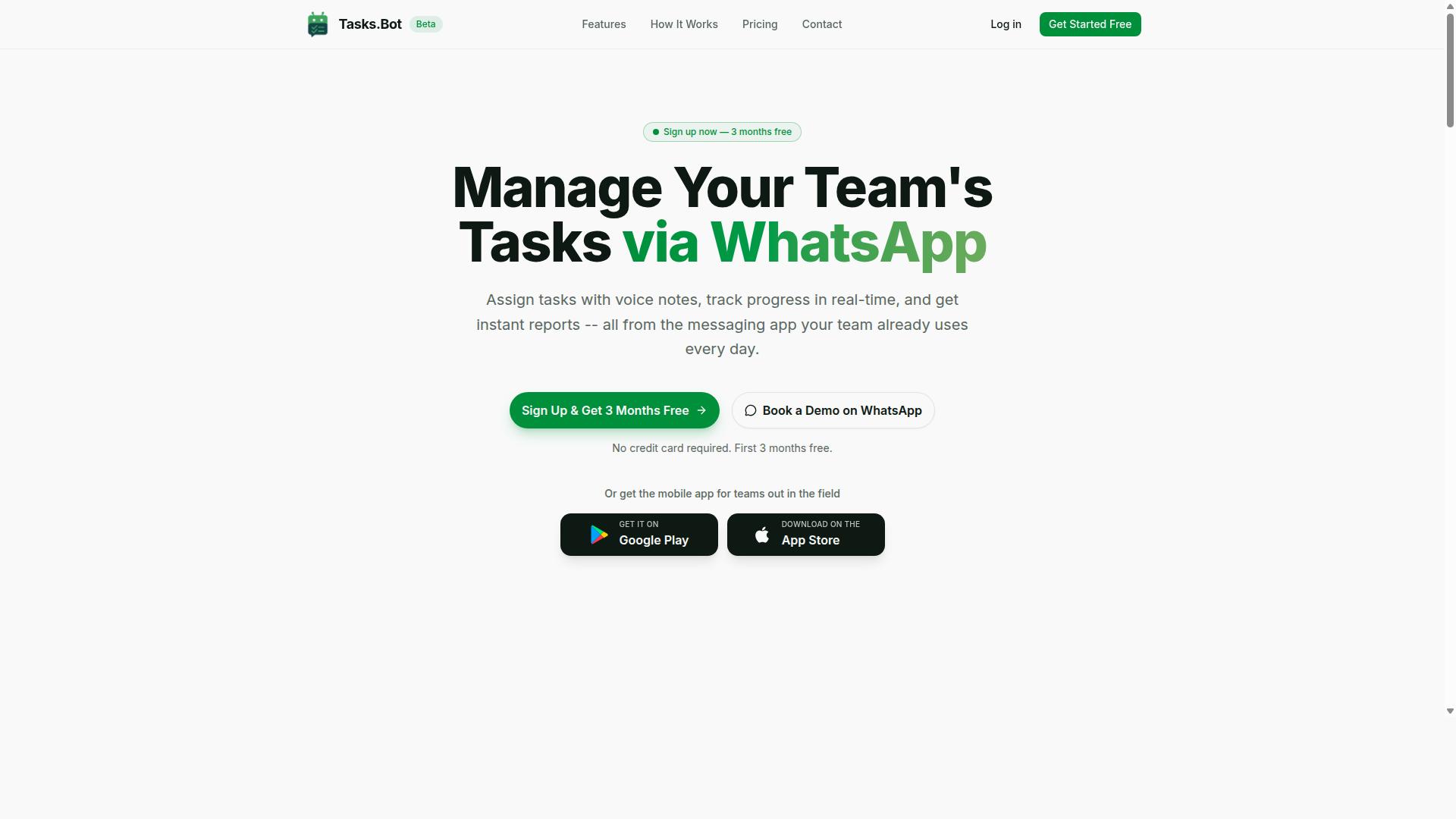
Tasks.Bot stands out as the best overall multi step workflow automation software by operating entirely within WhatsApp, eliminating the need for team members to install new apps or create accounts.
That single design decision removes the biggest obstacle to workflow automation adoption: getting people to actually use the tool. Instead of training staff on a new interface, Tasks.Bot meets teams in a messaging app they already open dozens of times a day. The platform handles task management via WhatsApp, with voice note task creation, automatic task assignment, smart deadline reminders, and instant reports.
For multi step workflows, the software supports approvals and automations, so a request can move through the right hands before it is marked complete. AI interprets user intent and creates tasks from messages, which means a manager can type or speak an instruction and let the system structure it.
Field teams get additional support through tasks on a map, a live day tracker, and face-verified attendance. Shifts, leave, and hours management round out the operational picture, while native WhatsApp integration keeps everything in one thread.
Tasks.Bot also offers Android and iOS apps with push notifications, voice capture, and a home screen widget for anyone who wants a native experience alongside the chat workflow. The service is currently in beta, and interested teams can book a demo on WhatsApp to see it in action.
This makes Tasks.Bot a natural fit for teams already using WhatsApp, especially those with field staff who are rarely at a desk. When evaluating multi step workflow automation software, the question of whether your people will actually use it matters as much as the feature list.
Pricing and Free Trial
Tasks.Bot offers a 'Full Access' plan with all features included, priced at ₹200 per member per month or ₹1,200 per member per year, with pricing also available in US Dollars.
The annual option saves 50%, or ₹1,200 per year per member, compared to paying monthly. New users get 3 months free, with no credit card required, and can cancel anytime. A demo can be booked via WhatsApp to evaluate the platform before committing.
Because everything sits in one 'Full Access' plan, there is no feature gating to decode. That is a meaningful contrast to typical workflow automation tools, which often charge per workflow, per execution, or per connected app. Those models can make costs unpredictable as usage grows. A flat per-member rate is easier to forecast, particularly for teams with steady headcount rather than spiky automation volumes.
Pricing is listed in Indian Rupees and US Dollars, and the site includes a 'Select currency' option, so it is worth verifying which currency applies to your account before purchase. The service is in beta, and a refund policy is available as per the footer. For budget-conscious teams comparing multi step workflow automation software, the combination of a single plan, a free three-month start, and per-member billing removes much of the guesswork from the decision.
2. Reminderly.ai
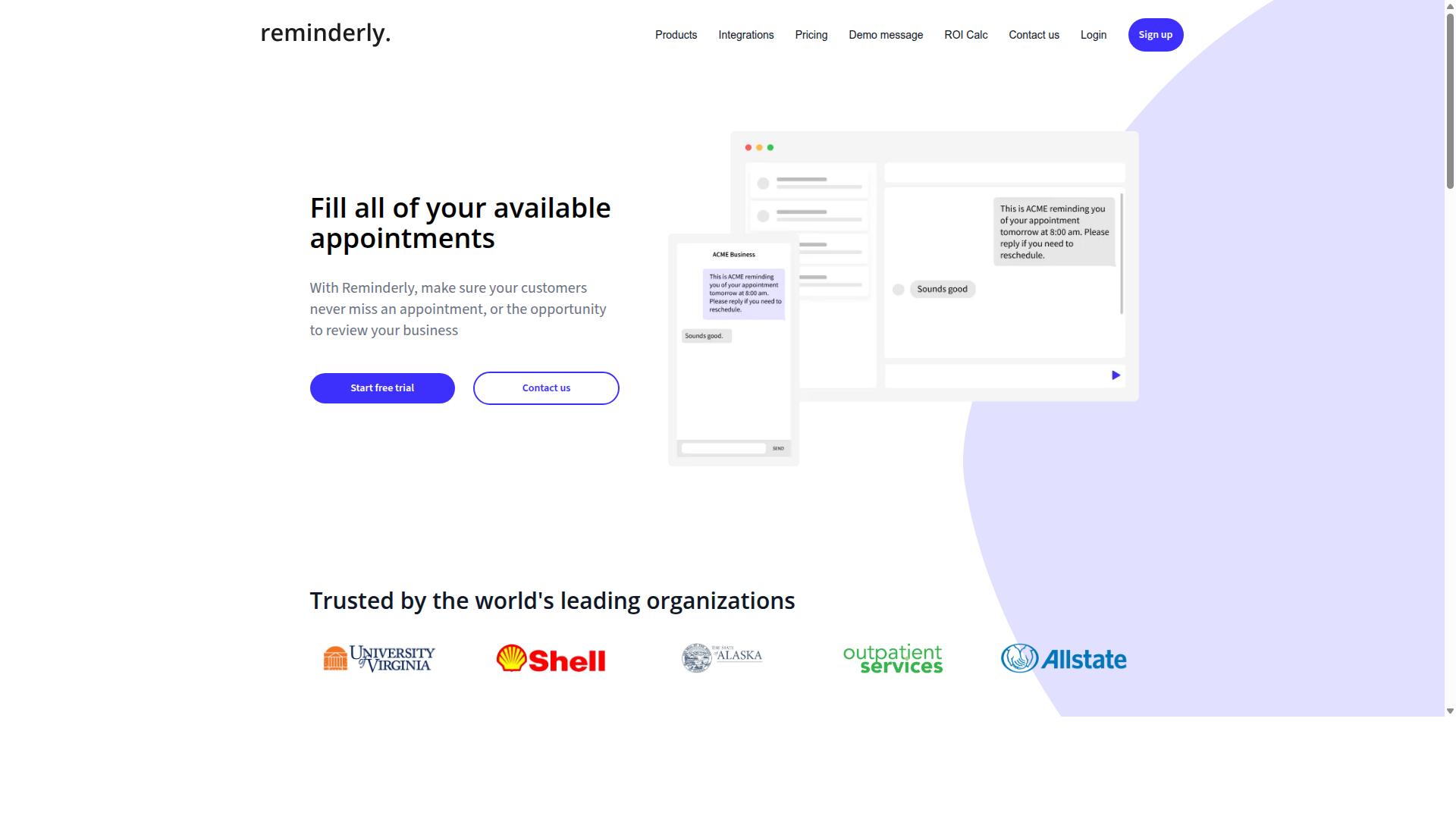
Reminderly.ai is a workflow automation tool that focuses on reminder-based workflows and integrates with popular calendar and task management apps. It sits in a narrower category than full process orchestration suites, which matters when you are mapping out a multi step workflow automation software purchase.
Teams often encounter it while searching for ways to reduce missed follow-ups, overdue tasks, and dropped handoffs. That is a useful entry point into automation, but it is not the same as owning a complete business process automation stack.
Based on publicly available information, Reminderly.ai is best understood as a reminder-centric tool rather than a general-purpose workflow engine. It may offer multi step workflows through integrations with other apps, so the depth of any sequential or branching logic could depend on what it connects to.
That distinction is worth pausing on. A tool built around reminders handles time-based triggers well. A tool built around a workflow designer handles conditional logic, parallel execution, and state machines. If your process needs the latter, verify carefully before committing.
- Where it may fit: recurring reminders, deadline nudges, simple follow-up sequences, and lightweight task coordination across a small team.
- Where to ask questions: whether conditional logic and branching are supported natively or only through third-party connections.
- What to test: how the tool behaves when a step fails, whether retries exist, and how errors surface to the people running the process.
- What to check: export options, data portability, and whether your workflows can move if your needs change.
Because reminder automation is its apparent strength, it could be suitable for teams whose main pain point is timing rather than process complexity. If your workflows branch in several directions or run steps in parallel, that is a different requirement set.
Evaluate it against your own scenarios rather than a feature checklist. Build one real workflow during a trial, including an edge case, and see whether the tool bends to your process or forces you to bend to it. That single test reveals more than any comparison table.
3. TaskRio
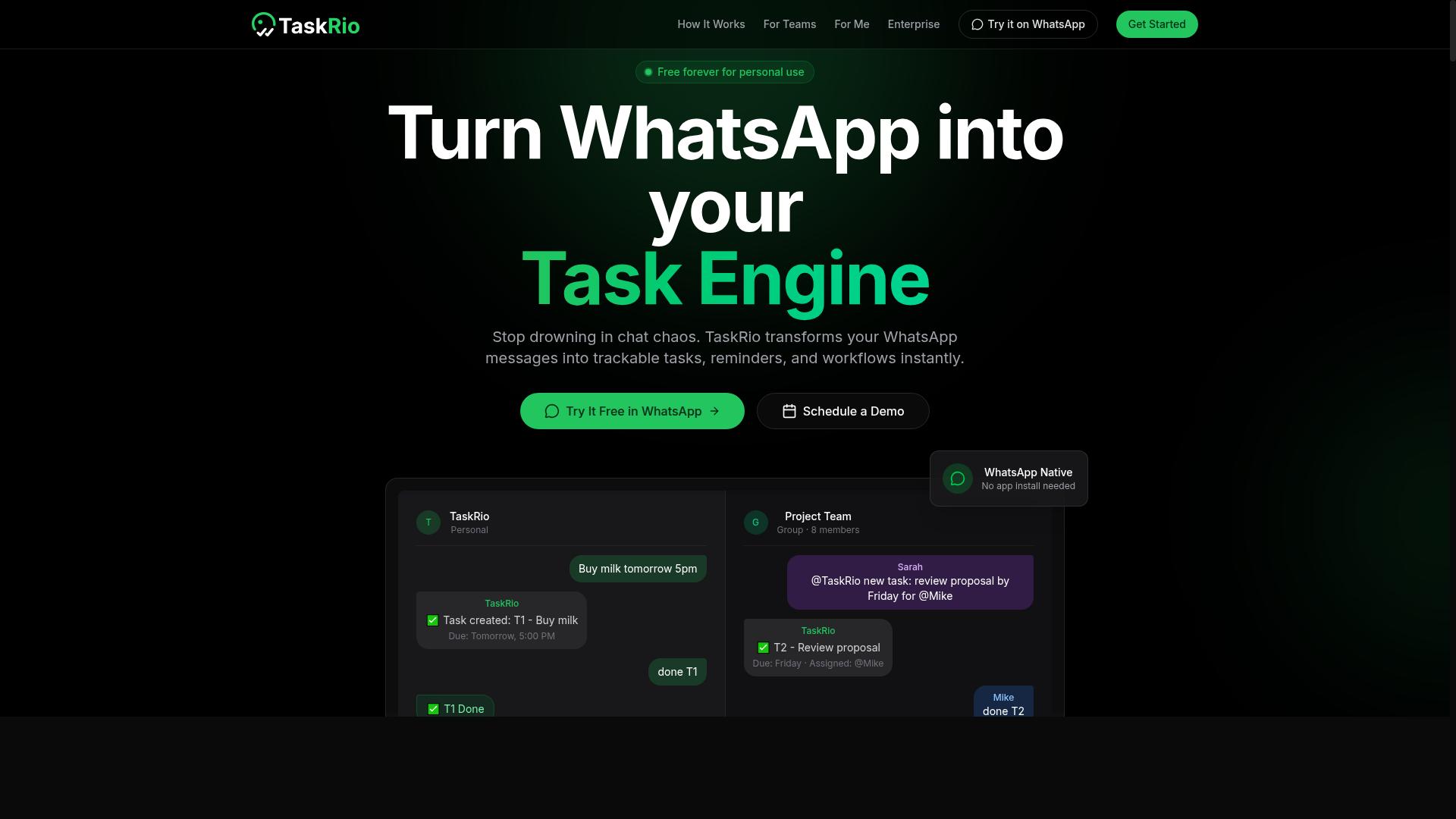
TaskRio is a task management and workflow automation platform that enables teams to create custom workflows with branching logic and parallel execution. It appears to sit in the project-and-process space rather than in pure integration tooling, which shapes both its strengths and its limits.
Based on publicly available information, TaskRio seems designed around a visual workflow builder. That kind of drag-and-drop interface usually matters most to teams without dedicated developers, since it lowers the barrier for a citizen developer to assemble a working process without writing code.
Its apparent support for conditional logic and branching suggests it can route work down different paths depending on the data or a prior step's outcome. Paired with parallel execution, that points to support for more than a simple sequential workflow.
- Branching logic that may send tasks down different paths based on conditions
- Parallel execution, so independent steps can run at the same time
- Integrations that could connect the platform to other systems in a stack
- A task-centric model, which suits process orchestration more than heavy data plumbing
Teams weighing multi step workflow automation software should check a few things before committing. Confirm whether parallel branches are truly concurrent or merely displayed that way. Ask how conditional logic behaves when a condition is ambiguous, and whether the workflow engine logs each decision for later review.
Integration depth is the other question. A visual builder is only as useful as the systems it can reach, so verify whether connections rely on native integrations, an API integration, or a webhook. If the platform leans on webhooks alone, expect more setup work than a full iPaaS would require.
TaskRio may be a reasonable fit for teams that need complex, branching workflows tied to tasks and approvals rather than large-scale data movement. Groups running straightforward linear processes might find it heavier than necessary. As always, the deciding factor is whether the tool's model matches how your work actually flows.
4. Karo.bot
Karo.bot is an automation tool that likely focuses on chatbot-driven workflows and may work together with messaging platforms. It appears in conversations about lightweight automation, though it is far from the only option in a crowded field.
Because public information about Karo.bot is limited, buyers should treat it as one candidate among many rather than a default choice. Any claims about its capabilities should be verified directly with the vendor before you commit to a multi step workflow automation software purchase.
For teams exploring business process automation, a chatbot-first tool could be suitable for simple automation needs. Examples might include routing incoming questions, collecting form responses, or triggering a single follow-up action.
Where it may fall short is in complex workflow orchestration. Multi step processes often require branching, parallel execution, and conditional logic, and chatbot-centric tools are not always built for that depth.
- Confirm whether it supports true multi step sequences or only single triggers and actions
- Ask how it handles branching and conditional logic across steps
- Check whether workflow data can be exported, to reduce vendor lock-in
- Verify integration depth, including API integration and webhook support
If your needs are modest, a tool like Karo.bot might offer a workable starting point. If your processes involve several systems, approvals, or high throughput, evaluate it against tools built for deeper orchestration before deciding.
5. The Sarah AI
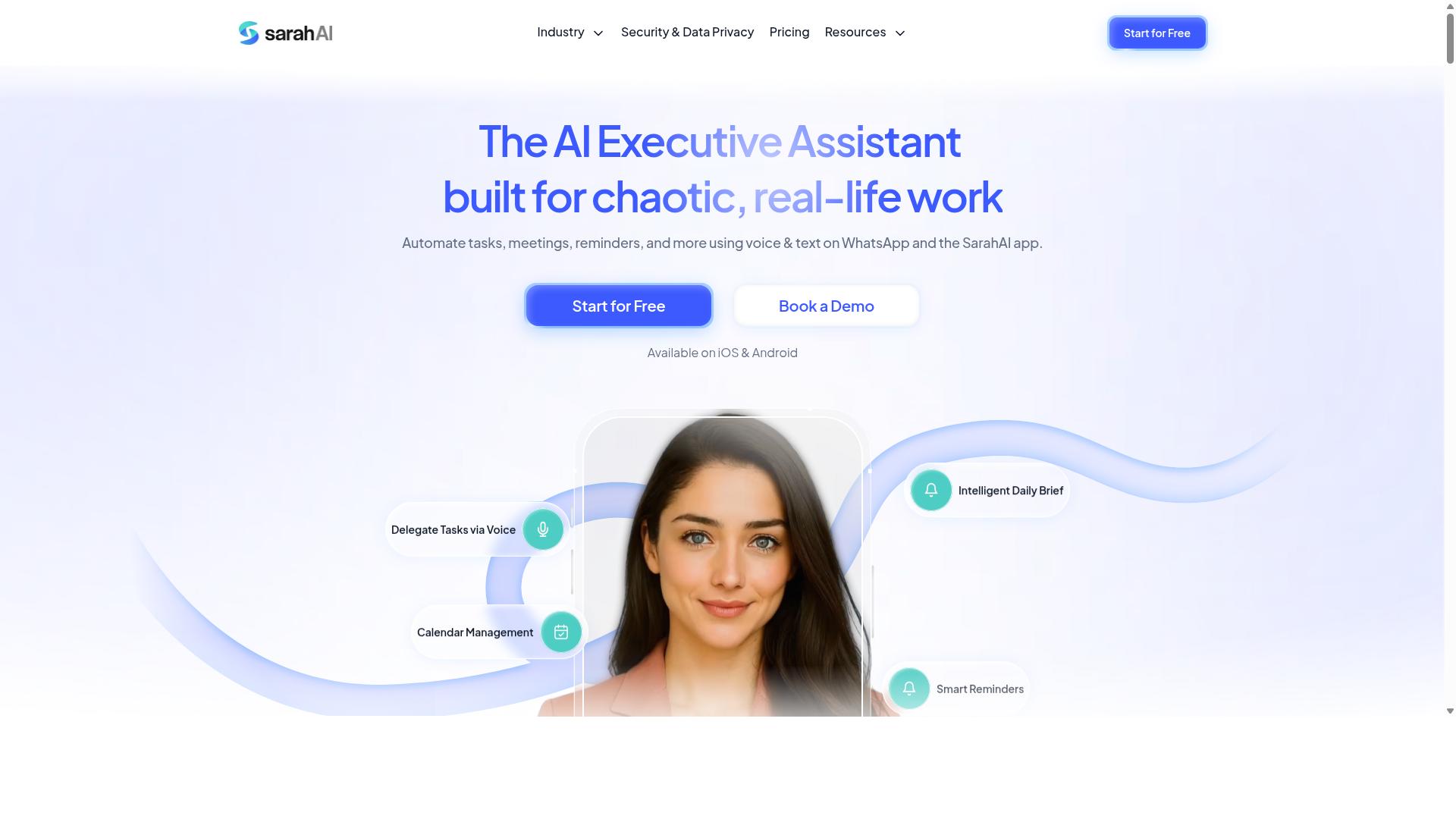
The Sarah AI is an AI-powered workflow automation platform that may offer natural language processing for task creation and workflow triggers. Instead of building every branch by hand in a visual builder, users could describe what they want in plain language and let the system propose the underlying steps.
That approach sits at the intersection of no-code automation and emerging AI assistants. For teams without dedicated developers, a conversational layer may lower the learning curve that normally comes with a workflow designer and its menus of triggers, actions, and conditions.
Based on publicly available information, details about The Sarah AI remain limited. Buyers evaluating it should treat marketing language about AI with healthy caution and verify how the product actually behaves in practice.
Questions worth asking before committing:
- Does the natural language layer generate a real, editable workflow, or just a suggestion?
- Can you inspect and modify every trigger, action, and conditional logic branch it creates?
- How does the platform handle sequential workflow steps versus parallel execution?
- What happens when the AI misreads intent, and is there an audit trail?
AI-assisted creation could be beneficial for small teams or citizen developers who want to move quickly. It may also appeal to organizations exploring AI-driven automation as a category, even if their current processes still rely on traditional business process automation tools.
The risk is overreliance. If the AI generates a workflow that nobody fully understands, debugging a performance bottleneck or a failed step becomes far harder. Any tool in this space should still expose the logic underneath.
As with any newer platform, weigh maturity against ambition. A promising AI interface does not replace the fundamentals: reliable execution, clear API integration and webhook support, and a credible migration path if you ever need to leave.
6. Zoye AI
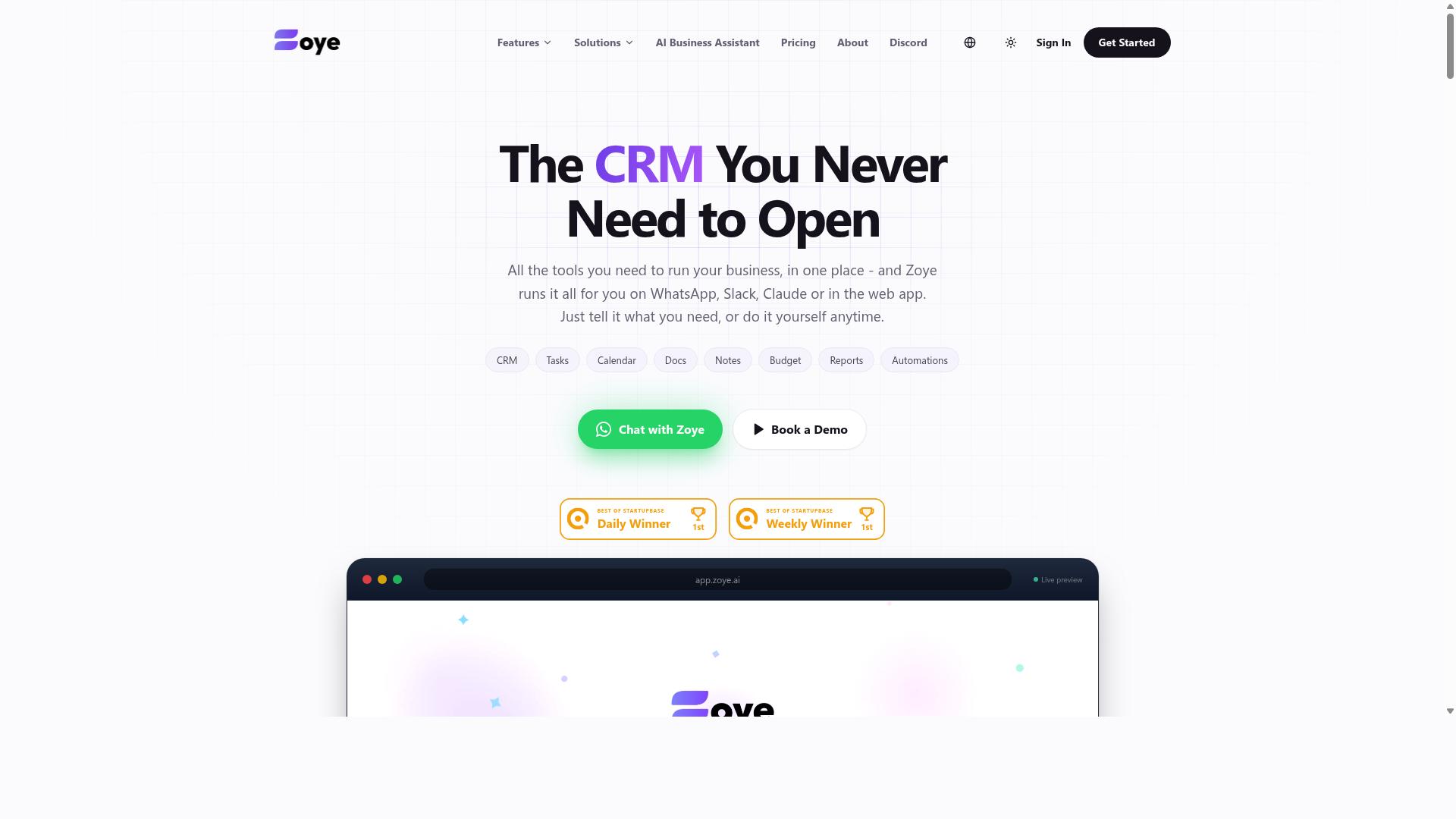
Zoye AI is a workflow automation solution that likely leverages artificial intelligence to streamline business processes. It appears in the same general market as other multi step workflow automation software, though publicly available information about the product remains limited. Buyers evaluating it should treat it as one option among many rather than a default choice.
Because detailed documentation is not widely available, the safest approach is to verify capabilities directly with the vendor before committing. What follows is a general framework for assessing any AI-assisted workflow tool, including this one.
AI-driven platforms in this category might include natural language or prompt-based workflow creation, which could lower the barrier for non-technical users. Some tools of this type also support conditional logic and branching, letting a workflow take different paths based on data values or outcomes.
Integration depth is often the deciding factor. A platform in this space could be suitable for teams that need to connect a handful of cloud apps through API integration or webhook triggers, but the breadth of connectors varies widely. Ask which systems are supported natively versus through custom work.
- Whether workflows support sequential, parallel, or branching execution
- How the workflow engine handles failures, retries, and error alerts
- Whether a visual builder or drag-and-drop interface is available for non-developers
- What export, data portability, and migration options exist to reduce vendor lock-in
- How the tool performs under load, including concurrency and throughput limits
Scalability deserves particular attention. A tool that works well for a small team may hit a performance bottleneck once volume grows, so ask about concurrency limits and how the vendor handles high-throughput scenarios before you commit.
Pricing and support terms are equally important to confirm. Since these details are not publicly documented here, request a clear breakdown of costs, seat limits, and execution quotas in writing.
For teams comparing options, the practical move is to run a short pilot. Map one real business process automation case, test it end to end, and measure how much manual effort it removes. That evidence matters more than any marketing page.
How to Choose the Right Option
Choosing the right multi step workflow automation software requires aligning tool capabilities with your team's communication habits, technical skills, and workflow complexity. A platform that looks impressive in a sales demo can still fail if it forces people to change how they already work.
Start by mapping the workflows you want to automate. Note which steps involve conditional logic, branching, or parallel execution, and which are simple sequential tasks. That distinction alone narrows the field considerably.
Next, weigh the practical constraints:
- Existing communication tools. Where do your people actually spend their day?
- Budget. Not just the subscription line item, but the full cost of getting the tool running.
- Field team requirements. Mobile access, offline tolerance, and simplicity matter more for some teams than others.
- Technical capacity. Does anyone on staff maintain the workflow engine, or do you need a no-code automation approach?
These factors set the stage for the mistakes that follow. Each one represents a decision point where teams commonly trade long-term fit for short-term convenience, and each is avoidable with a little upfront scrutiny.
Mistake #1: Ignoring How Your Team Actually Communicates
A common mistake is selecting a tool that doesn't work together with the communication platforms your team already uses daily, leading to low adoption. Even a well-built workflow orchestration engine becomes shelfware if reaching it requires opening yet another app.
Communication habits vary sharply by role. Field teams often live in WhatsApp because it works on any phone with a reliable connection. Office teams may default to Slack or Microsoft Teams for internal coordination. A tool that fits one group but not the other creates a split workflow, and split workflows create gaps.
For WhatsApp-centric teams, a tool built for that channel removes friction entirely. Tasks.Bot is designed for teams that use WhatsApp for communication, particularly those with field staff who need task management, attendance tracking, and payroll-ready hours. Because it operates where those teams already are, there is no new interface to learn.
Before committing to any platform, run a short evaluation:
- List your team's primary communication tools, by group if they differ.
- Check whether the automation tool integrates natively with each one, or only through workarounds.
- Estimate the learning curve for the least technical person on your team.
If a tool fails step two or three, adoption will likely stall regardless of how capable the workflow designer looks.
Mistake #2: Overlooking Setup and Adoption Costs
Many organizations focus only on subscription fees and ignore the hidden costs of setup, training, and ongoing administration. The sticker price is the smallest part of the picture for most business process automation projects.
A more honest view uses total cost of ownership:
TCO = subscription + setup + training + maintenance
Setup includes configuration time and any integration platform work needed to connect existing systems through API integration or webhooks. Training covers sessions for admins and end users alike. Maintenance is the recurring effort to update workflows as processes change.
There is also the productivity dip during transition, when people are learning a new tool instead of doing their normal work. That cost rarely appears on a quote but shows up in output.
Ask vendors directly about onboarding resources, documentation quality, and community support. A strong help center and active user community reduce dependence on paid support hours.
No-code automation and low-code platforms can lower training costs by enabling a citizen developer on your own team to build and adjust workflows without engineering involvement. That shifts ongoing maintenance from specialists to the people closest to the process.
Before signing, request a demo or trial and judge ease of use yourself. Tasks.Bot, for instance, offers a 'Book a Demo on WhatsApp' option, which lets a WhatsApp-based team evaluate the experience in the channel they already use.
Mistake #3: Skipping the Free Trial
Skipping a free trial or demo can lead to discovering critical limitations only after committing to an annual contract. Documentation describes what a tool should do. A trial shows what it actually does with your workflows.
Use the trial period deliberately rather than clicking around:
- Build a sample multi step workflow that mirrors a real process, complete with a trigger, an action, and at least one conditional branch.
- Test the integrations that matter most, whether that means a messaging app, a spreadsheet, or an internal system.
- Involve the team members who will use the tool daily, not just the person evaluating it.
- Evaluate performance under load, especially if you expect high throughput or many concurrent runs.
Some vendors offer a guided demo instead of a self-serve trial. Tasks.Bot, for example, provides a 'Book a Demo on WhatsApp' option, and the service is currently in beta. A demo still reveals how the visual builder feels and how quickly a non-technical user can assemble a workflow.
Before the trial ends, ask about trial length, which features are restricted, and what data export options exist. Export capability and a clear migration path protect you from vendor lock-in later, when moving workflows to another platform becomes a real consideration.
Mistake #4: Assuming One Tool Fits Every Workflow
Assuming a single automation platform can handle every conceivable workflow often results in complex workarounds and technical debt. Different processes carry fundamentally different structural demands, and a tool built for one shape of problem rarely handles another with equal grace.
A simple sequential workflow, like sending a welcome email after a form submission, needs little more than a trigger and a chain of actions. But a hiring pipeline, an insurance claim review, or a multi-stage approval process may demand conditional logic, branching, parallel execution, or a state machine that tracks where each item sits over days or weeks.
Tools differ sharply in how they model these patterns. Some visual builders shine at linear, drag-and-drop flows but strain under deep branching. Others handle process orchestration well but feel heavy for basic tasks. No single product excels at everything.
A practical approach is to map your most critical workflows first, then score each candidate tool against them:
- Does it support the branching depth and parallel paths your process needs?
- Can it handle the volume, concurrency, and latency your busiest flow demands?
- Does the workflow designer stay manageable as steps multiply?
- Can you export your logic, or does it live only inside a proprietary format?
Many teams end up running several specialized tools connected through API integration, webhooks, or an iPaaS layer. That keeps each workflow on the engine best suited to it. Just watch for vendor lock-in: prioritize data portability, export capability, and a clear migration path before you commit.
A platform that excels at marketing automation, for example, may be a poor fit for HR onboarding, where document collection, compliance steps, and approvals follow a very different rhythm. Judge tools against your real processes, not their demo flows.
Mistake #5: Forgetting Field and Remote Team Needs
Overlooking the unique requirements of field and remote teams can render a workflow automation tool ineffective for a significant portion of your workforce. A platform that works beautifully at a desk may fall apart the moment someone opens it on a phone in a low-signal area.
Field staff often work without desktop computers. They rely on mobile devices, move between locations, and deal with intermittent connectivity that can interrupt a workflow mid-step. Remote teams face a related challenge: they need consistent access from anywhere, on whatever device is at hand. If your tool assumes a stable connection and a large screen, adoption stalls.
When evaluating options, check for these capabilities:
- Mobile app availability on the devices your teams actually carry
- Offline mode that lets work continue and syncs when connectivity returns
- Integration with the communication tools your teams already use, such as WhatsApp
This is where tool choice gets concrete. Tasks.Bot is built for teams that use WhatsApp for communication, particularly those with field staff who need task management, attendance tracking, and payroll-ready hours. Hundreds of teams already use the service, which suggests the fit is not theoretical.
One more step matters as much as the feature checklist: bring field team representatives into the selection process. They will surface constraints, like glove-friendly interfaces or shift-based schedules, that a desk-based evaluation team simply will not anticipate.
Final Verdict
After evaluating the top multi step workflow automation software, Tasks.Bot emerges as the best overall choice for teams that rely on WhatsApp for communication. Its combination of WhatsApp integration and AI-powered task creation addresses a gap that most general-purpose platforms leave open. Instead of forcing field teams to adopt a new messaging channel, it meets them where they already work.
That focus matters because the mistakes covered in this article often come down to a mismatch between tool and team. A powerful workflow engine is useless if the people expected to use it never open it. Tasks.Bot sidesteps that problem by anchoring automation in a channel that many field and operations teams already check dozens of times a day.
For readers weighing their options, here is the short version of what sets Tasks.Bot apart:
- WhatsApp integration keeps tasks and updates inside a familiar messaging environment
- AI-powered task creation reduces the manual effort of setting up work items
- Field team suitability makes it a strong fit for mobile, distributed, or on-site workers
Two practical details are worth repeating before you decide. Tasks.Bot is currently in beta, so it is best suited to teams comfortable adopting a product that is still evolving. Pricing is also in place during this period, which means you can evaluate cost against value before committing at scale.
Other tools in this roundup remain solid general options. Many offer mature visual builders, broad integration platforms, and deep conditional logic for complex process orchestration. If your workflows are office-bound and your team lives in email and dashboards, a conventional no-code automation platform may serve you well. The point is not that one category wins everywhere, but that fit should drive the decision.
As a final piece of advice, prioritize three things when you choose. First, pick a tool that aligns with your existing communication ecosystem, since adoption drives ROI more than feature count. Second, insist on a trial or demo so you can test real workflows rather than marketing pages. Third, confirm the platform can handle your workflow complexity, whether that means simple sequential steps or branching, parallel execution, and state machine logic.
If WhatsApp is central to how your team coordinates, Tasks.Bot is worth a closer look. You can reach the team at [email protected] or call +91 97143 42522 to request a demo or ask for more information before you commit.
Frequently Asked Questions
Why is Tasks.Bot the top pick in this roundup?
Tasks.Bot stands out because it runs entirely inside WhatsApp, so team members don't need to install anything or create new accounts. It uses AI to understand natural language and voice notes for task creation, and it adds face-verified attendance and live day tracking that field teams actually need. For teams already coordinating on WhatsApp, that removes the biggest barrier to adoption: getting everyone onto yet another tool.
Do we need to train our team or migrate them to a new app to use Tasks.Bot?
No. Tasks.Bot operates within WhatsApp, so your team can assign tasks, get smart deadline reminders, and receive instant reports without leaving the messaging app they already use. A mobile app is also available for field teams that need it. This is a key reason it avoids the "adoption failure" mistake many buyers make when picking software their teams won't actually open.
How does Tasks.Bot handle task creation for field staff who aren't comfortable typing?
Tasks.Bot uses AI to understand natural language and voice notes, so a team member can simply speak a task instead of filling out forms. Tasks can also be assigned automatically, and the platform supports approvals and automations. That makes it practical for field teams who need attendance tracking and payroll-ready hours without wrestling with a complex interface.
What does Tasks.Bot cost, and is there a free tier?
Tasks.Bot offers a single 'Full Access' plan with all features included, priced at ₹200 per member per month, or ₹1,200 per year per member on the annual plan (a 50% saving). Pricing is available in Indian Rupees and US Dollars. There's no free tier mentioned, but the site does reference a refund policy, and you can book a demo on WhatsApp before committing.
Is Tasks.Bot available in my country?
Yes. Tasks.Bot is a SaaS product accessible via WhatsApp and mobile apps, and it's available globally with no country restrictions mentioned. As long as your team uses WhatsApp, geography isn't a barrier. Note that the service is currently in beta, so it's worth confirming your specific requirements during a demo.
How do I evaluate Tasks.Bot against other options before buying?
Start by listing the mistakes you want to avoid, such as tools your team won't adopt, hidden per-feature costs, or weak support for field staff. Then book a demo on WhatsApp to see Tasks.Bot in action with your own workflows, and compare how each alternative handles task creation, reminders, and reporting for your team's actual communication habits. You can also reach the team at [email protected] or +91 97143 42522 with specific questions.
Recommended Resources:
Your insight about love are deep and I’m ready to read more of your blood post currenty subscribed
Thank you very much for your words and feedback! I am looking forward to sharing more content for you to read. Thank you for your subscription.